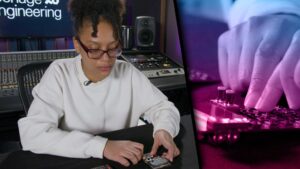
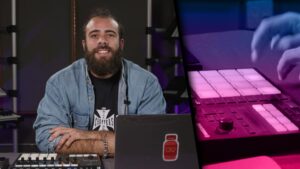
About Course
Producing in Koala is a comprehensive course designed for music producers eager to harness the full potential of the Koala Sampler app. Led by instructor Divine Drummah, this course provides an in-depth exploration of Koala’s features, guiding students through the process of creating complete tracks using this powerful mobile tool.
Throughout the course, students will learn how to import and edit audio samples, layer percussion and melodic elements, and utilize Koala’s sequencer to craft compelling rhythms. The curriculum also covers advanced techniques such as looping, autochopping, and applying performance effects to enhance creativity. Additionally, learners will gain insights into exporting their projects and fine-tuning tracks using functions like mute, solo, and resampling.
By the end of the course, participants will have developed a solid understanding of Koala Sampler’s capabilities, empowering them to produce professional-quality music directly from their mobile devices.
Producing in Koala is a comprehensive course designed for music producers eager to harness the full potential of the Koala Sampler app. Led by instructor Divine Drummah, this course provides an in-depth exploration of Koala’s features, guiding students through the process of creating complete tracks using this powerful mobile tool.
Throughout the course, students will learn how to import and edit audio samples, layer percussion and melodic elements, and utilize Koala’s sequencer to craft compelling rhythms. The curriculum also covers advanced techniques such as looping, autochopping, and applying performance effects to enhance creativity. Additionally, learners will gain insights into exporting their projects and fine-tuning tracks using functions like mute, solo, and resampling.
By the end of the course, participants will have developed a solid understanding of Koala Sampler’s capabilities, empowering them to produce professional-quality music directly from their mobile devices.
Course Content
-
Importing Audio
04:47
-
Editing Samples
09:02
-
Layering Percussion Samples
03:30
-
Looping and Autochop
06:58
-
Overview of Tempo, Bars, Quantize, and Swing Menus
03:33
-
Recording a Sequence
04:31
-
Editing a Sequence
05:05
-
Keyboard Function
01:55
-
Song Mode
04:28
-
Live Recording
04:05
-
Exporting Audio
03:27
-
Saving
01:57
-
Effects
02:25
-
Layering Melodic and Harmonic Samples
02:26
-
Importing Filtered Sample
01:32
-
Layering Filtered Sample
02:07
-
Mute and Solo
02:08
-
Chopping Breaks
03:28
-
Resampling
02:35
-
Recording Effects
02:37